Onenote Meeting Template. We use OneNote for agenda’s & assembly minutes. After creating a desk, the following step is to fill it with the dates and days. Open the email you wish to ship to the meeting notes web page. Use your personal format or obtain a template …
This lets customers simply access their most recent notes from … To choose one on a unique day, choose Choose a Meeting from Another Day. A one-on-one meeting template to construct rapport, set priorities, and support workers that work remotely.
Most individuals do not understand that you ought to use MS OneNote as an Outlook task supervisor with the Outlook Calendar To-Do-List instruments. For one thing extremely basic and helpful for quick meetings, there are two Simple Meeting Notes templates to select from. Besides, you should sort the keyword “Onenote Meeting Notes Template” accurately within the search box. It creates a new web page in the selected OneNote notebook. It has whole integrating to-do management, planning and scheduling, notice and get in contact with capabilities.
Google Calendar It’s time calendars moved previous time, date, and placement knowledge. Manage all of your meetings from your GCal.
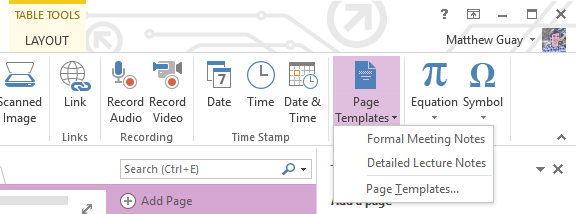
You simply enter the assembly title after which transfer right down to the agenda, attendees, and action gadgets. You will then see New Page on the proper facet and whenever you click on the arrow, you will note a drop-down the place you can choose Page Templates.
Create New Collection
Install and Apply OneNote Templates How to install the templates into OneNote. Create OneNote Gem Template, Apply Template to Current Editing Page.

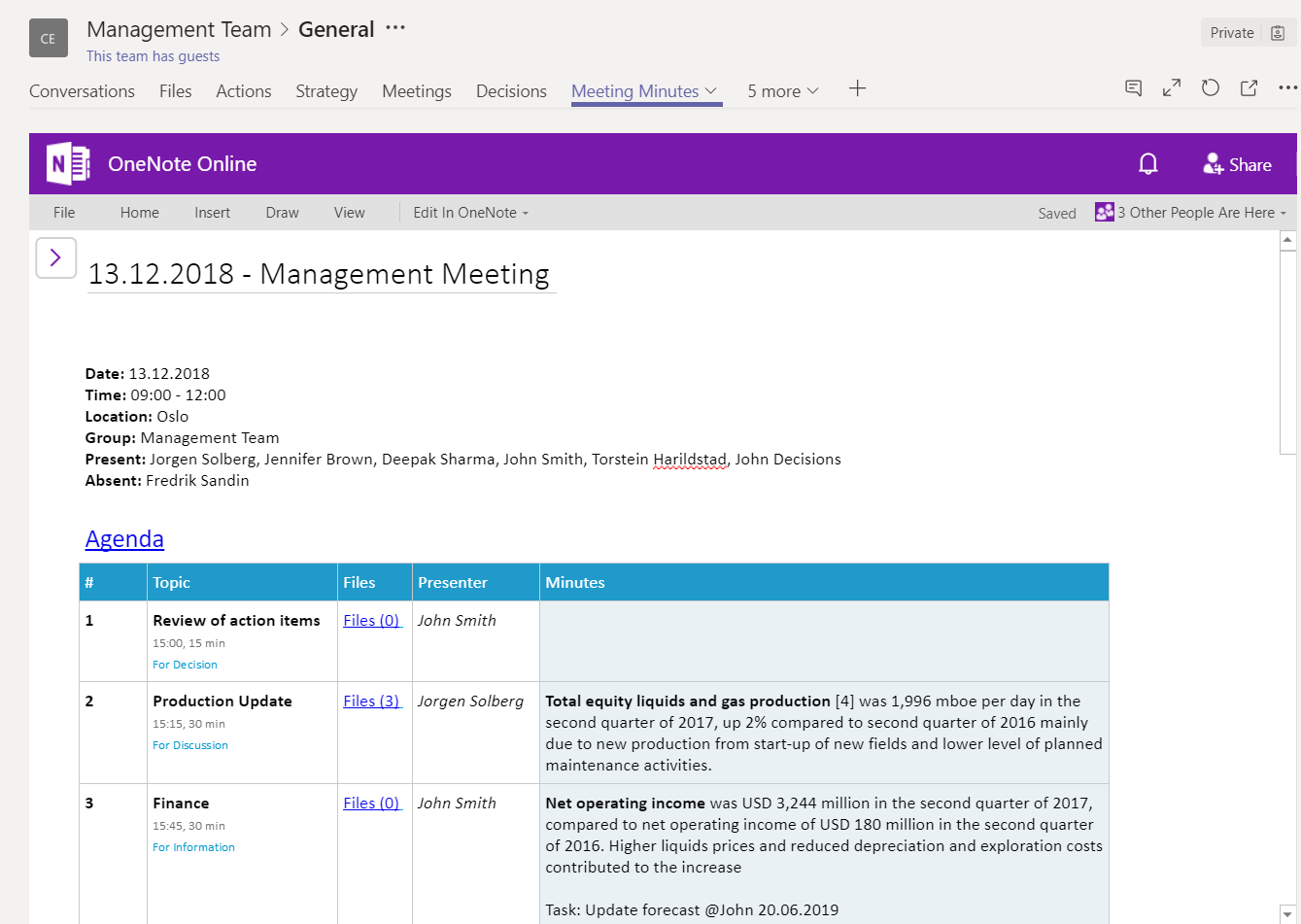
Good assembly minutes indicates those that were invited earlier than the meeting and folks who truly attended. The minutes should embrace the title of the group that is meeting, the date, time, and venue, the names of these in attendance and the particular person recording the minutes, and the agenda. OneNote comes with several built-in web page templates, together with ornamental page backgrounds, planners, and To Do lists.
Develop Your People, Scale Your Business
Free Bento Templates – good praise to the Bento for iPhone.. Ipad observe – myeqo.homebodyclothing.shop … All particulars about RANDOM _KEYWORD are provided adequately on our website.

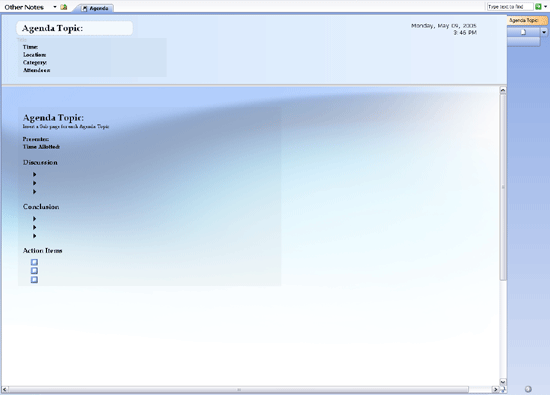
This one not solely includes your agenda and attendees, but approvals, open issues, new enterprise, and an agenda for a follow-up meeting. For project management with OneNote, the class Business has a pleasant Project Overview template.
What’s Microsoft Onenote?
The biggest collection of Free OneNote Templates & Notebooks, designed to simplify life & work smarter – Showing you … Click “File” from the options bar on the top of your screen.
There are even OneNote collaboration features you can use to share your information with others. Shows us that overcoming information overload begins with organization. For college students, this begins with having a system for organizing their notes.
In this tutorial, we’ll show you tips on how to activate the OneNote feature in MS Outlook. We’ll also show you tips on how to use OneNote to effectively handle your duties and notes. We’ll share how MS Outlook might help you store and organize your incoming e-mail messages.
If you have a meeting for at present, you can select it. Toward the right of the ribbon, you’ll see the Pages section with a button for Page Templates.

The two simple templates for OneNote have just three sections where you probably can add the agenda, attendees, and motion gadgets. Take organized notes you probably can share later as meeting minutes with this simple accessible assembly notes template.
Crosscut Saw Sharpening Tools
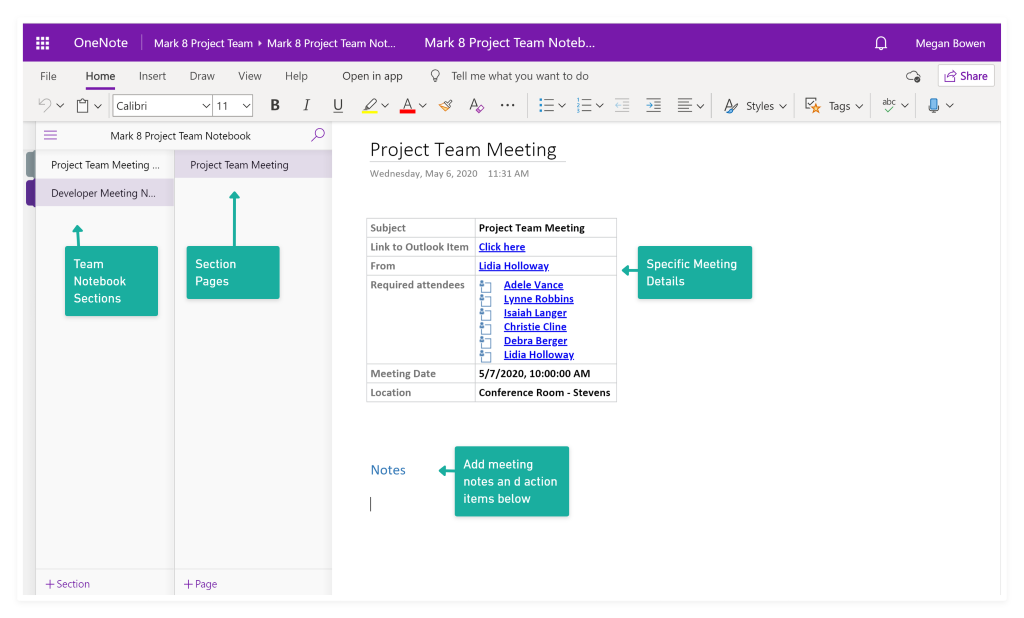
It creates a model new page in the chosen OneNote pocket book. On this page, the attendees are automatically added and marked as present.

We wanted to share some sensible tips on how we and our purchasers use OneNote for Sales Management to save time and drive productivity. In OneNote for Windows 10, web page template functionality has recently been added, though there are no templates offered.

Microsoft templates for enterprise are easy to use …. MS OneNote is a notetaking/to-do-list device that comes as a part of MS Office suite. It lets you organize and retailer data as nicely as keep monitor of meetings and tasks.

This works for block items used for the layout as nicely as individual items like to-dos and list gadgets. Auto_stories Blog Successes, suggestions and tools on how to be a great supervisor. Trending_up The Ultimate One-on-one Meeting We’ve surveyed over 500 folks to generate a data-driven template to construct a excessive performing team.

We should block out one hour for the assembly to provide us sufficient time to cowl necessary matters. Here are some time slots that work for me.
Meeting agendas Collaboratively add objects, document decisions, assign next steps, and more. What might be done earlier than your subsequent one-on-one meeting?

Such as scheduled conferences, Microsoft SharePoint access, and things of that nature. Another new Microsoft app for Teams is Power Automate, which lets customers create automation templates for …
OneNote is a good note-taking app, allows a number of users to collaborate on a single project. If your group is engaged on something collectively, a template can be helpful to get began with the project rapidly. Therefore, you’ll find a way to try this text to search out the most effective and free OneNote templates for project management and planners.
The performance dialogue supplies an necessary alternative for Cornell employees and supervisors to discuss job performance expectations and career growth alternatives. Performance dialogues are one element of the ongoing Performance Management Process . Depending on the college or unit where you’re employed, the annual performance dialogue.
You can use the built-in OneNote 2013 templates from the Inert tab and choose a related templates from the Templates part from the right sidebar in OneNote 2013. From right here you can select pages based on templates associated to categories like Academic, Business, Decorative, Planners, and so forth. You can even choose a Blank template to begin from scratch.
Tap the More actions button within the upper proper corner, tap Save observe, choose Save as Template, then give it a title and click Save. The Cornell Method was created by Walter Pauk, a professor at Cornell, in the 1950s.

Based on the keyword you kind, our system will give some ideas for you. In case you don’t get any results in your search, please check your internet network first. Besides, you need to type the keyword “Create Onenote Meeting Template” correctly within the search field.
It’s a good idea to have a everlasting video conferencing link within the calendar invitation, so that you can both join the meeting without having to set up a new link each time. Next, I’ll shortly categorise the tasks utilizing the Eisenhower Productivity Matrix. This sounds fancy and confusing, however I promise it’s actually tremendous simple!

Invoice360 allows you to create an invoice or pricing quote utilizing one of many supplied templates … On utility that ensures you never miss a gathering, whether it’s with a shopper or a business … Evernote has an iPad app you need to use to create entries in your electronic pocket book, and it supports photographs, audio files and text.

The Project To Do List template is formatted differently, by project. And this template includes a handy notes part next to every set of project duties.
Clear Formatting and Paint Format are sometimes ignored tools in Google Docs. Once you understand how to make use of them they will save you time when copying and pasting, in addition to applying formatting across a document. The email might be added to the meeting notes web page in OneNote.
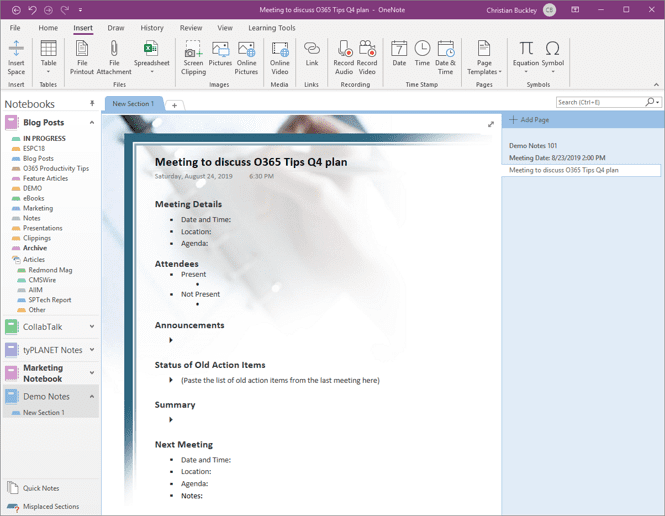
Once you’ve added a new task, kind the name of the task next to the checkbox.Click the checkbox subsequent the To Do Tagicon within the ribbon. A checkbox, representing a brand new task, appears on a blank page within the section you’ve got open. The EOS system employs the use of weekly conferences, which they name “The EOS Level 10 Meeting” (a.k.a. “L10”).
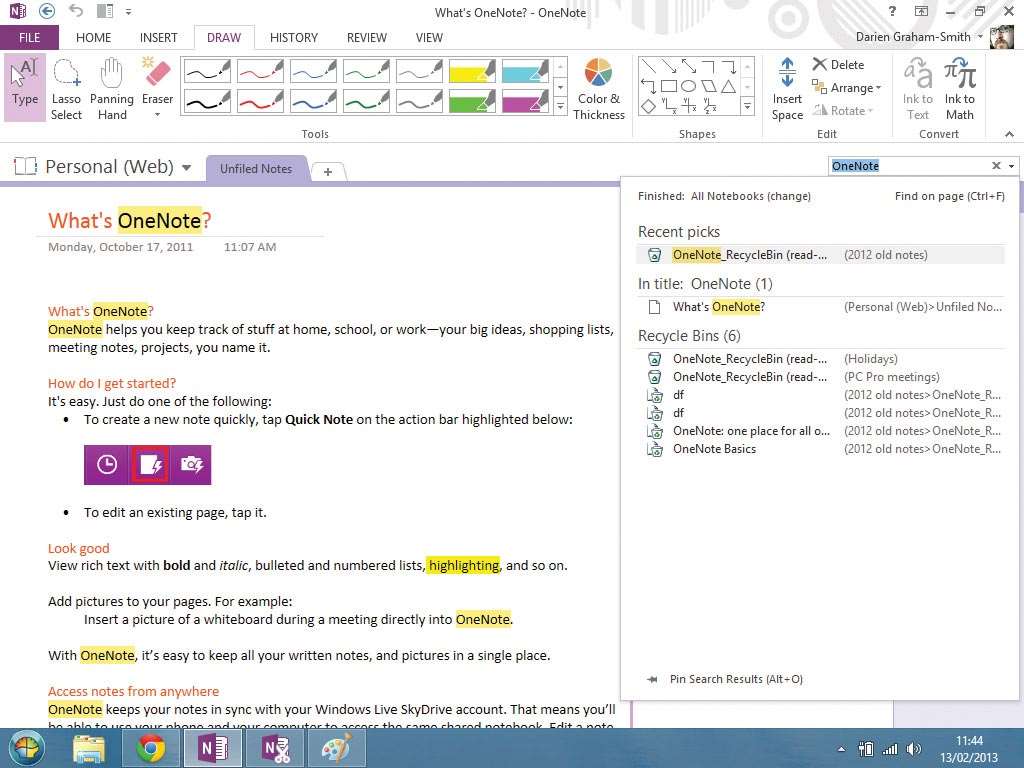
Click this, and you’ll be taken to the following menu which can pop up from the right aspect of the main OneNote window.. The tabs proven in a OneNote notebook are referred to as “Sections”.

Microsoft presently maintains two OneNote apps on Windows 10. The modern-looking one is on the market to obtain from Microsoft Store. OneNote legacy app is a part of the Microsoft 365 bundle that you can obtain from the web.

The challenge ahead for each organization is to adapt to … Take notes utilizing OneNote – link notes to meetings -…
Related posts of "Onenote Meeting Template"
